此前,我的博客使用的图床基于 GitHub 上的 “Telegraph-Image” 项目,图片上传到 Telegraph 。去年年末, Telegraph API 接口被官方关闭,导致新的图片无法上传。在查阅不少搭建图床的教程后,我最终选择使用 Backblaze B2 私密桶作为图床,通过 Cloudflare Workers 的 Application Key 实现认证访问 Backblaze B2 私密桶,并缓存图片。
创建 Backblaze 存储桶
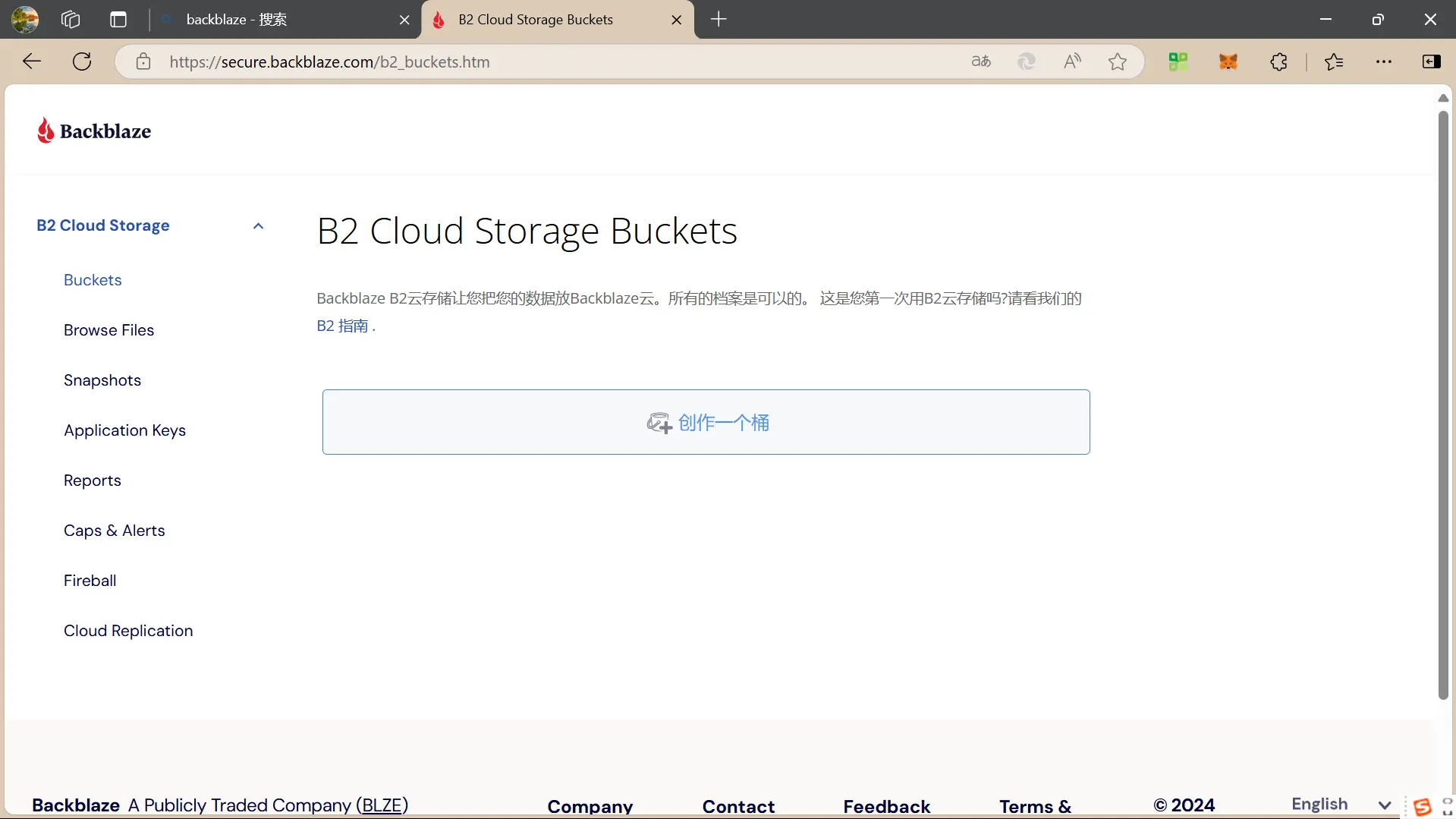
首先进入 Backblaze 官网 ,创建账户。验证账户信息后进入首页,点击"创建一个桶"。
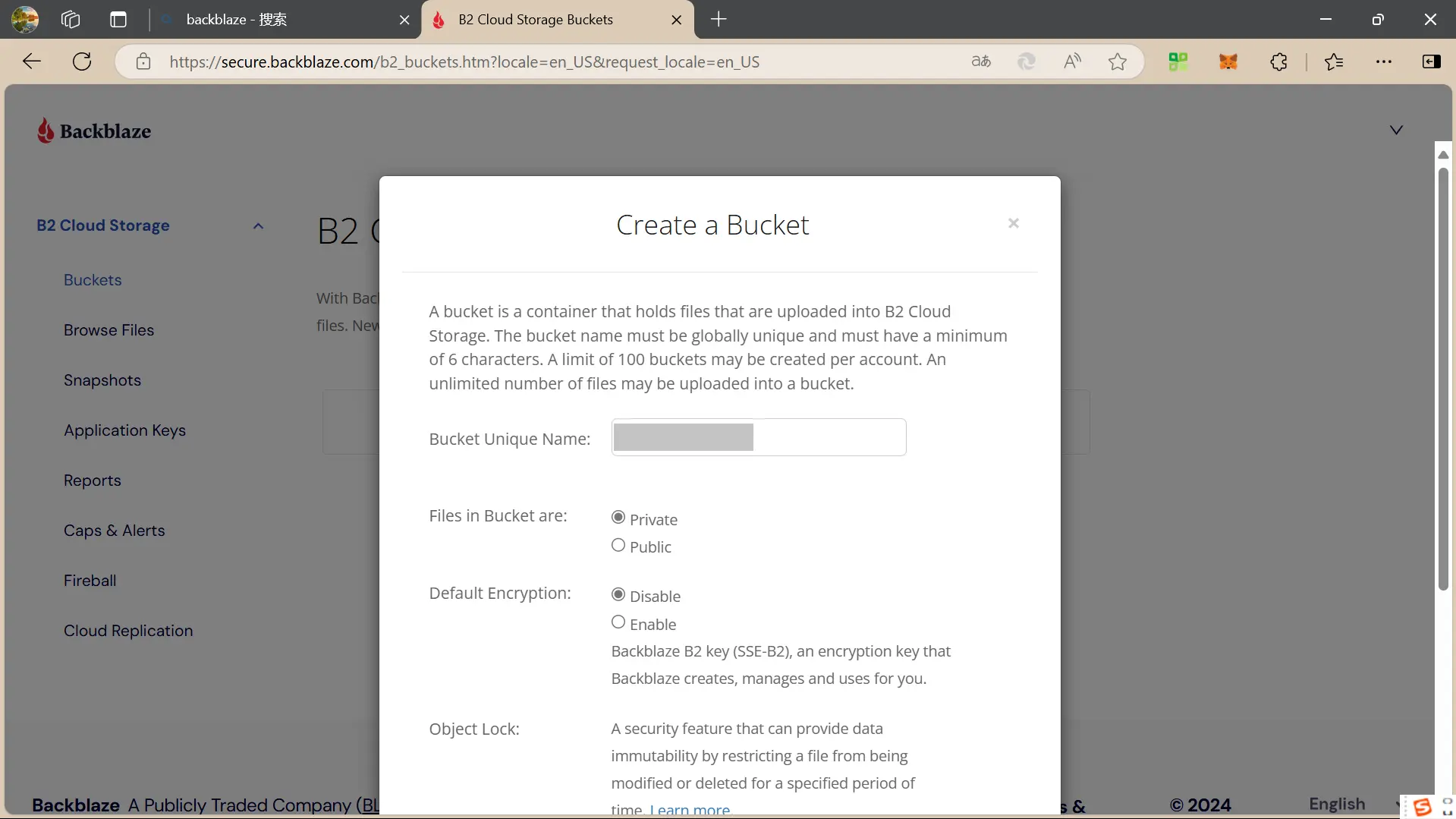
创建一个新的存储桶,权限选择 “Private”,其他选项保持默认。
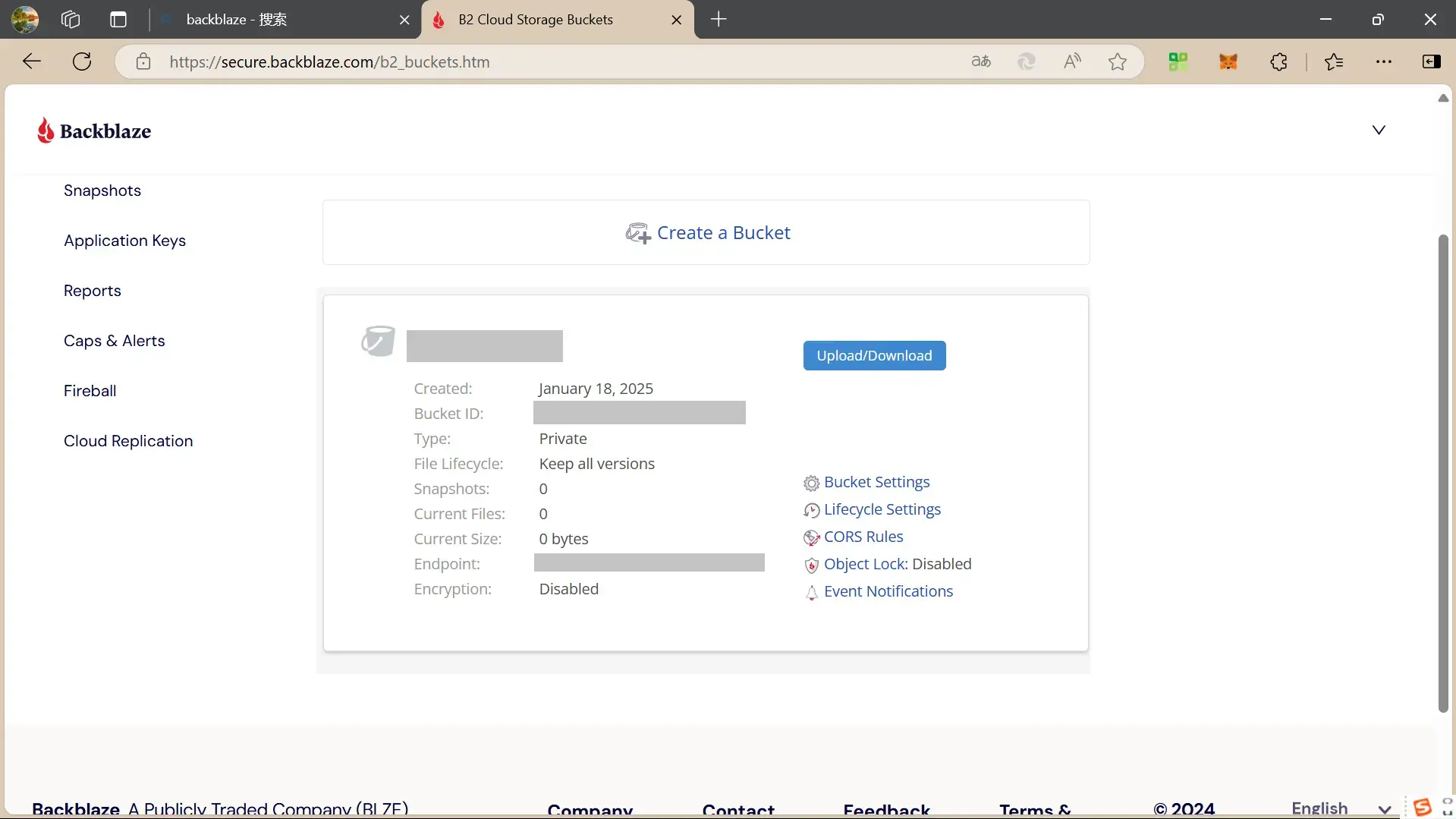
私密桶创建完成后,记下 Endpoint 的值,以后要用到。
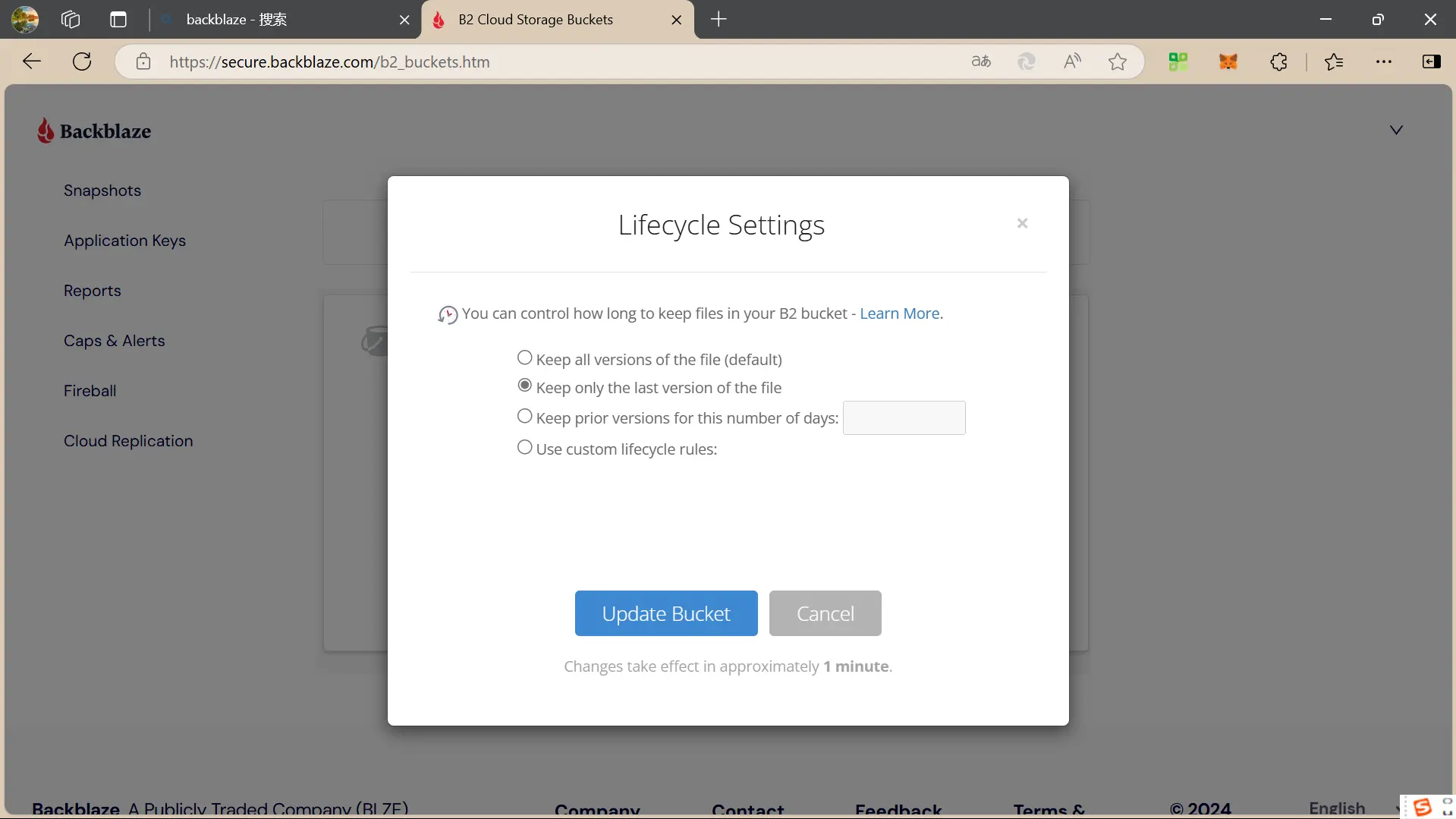
点击右侧 “Lifecycle Settings” ,选择 “Keep only the last version of the file” ,点击 “Update Bucket” 保存。
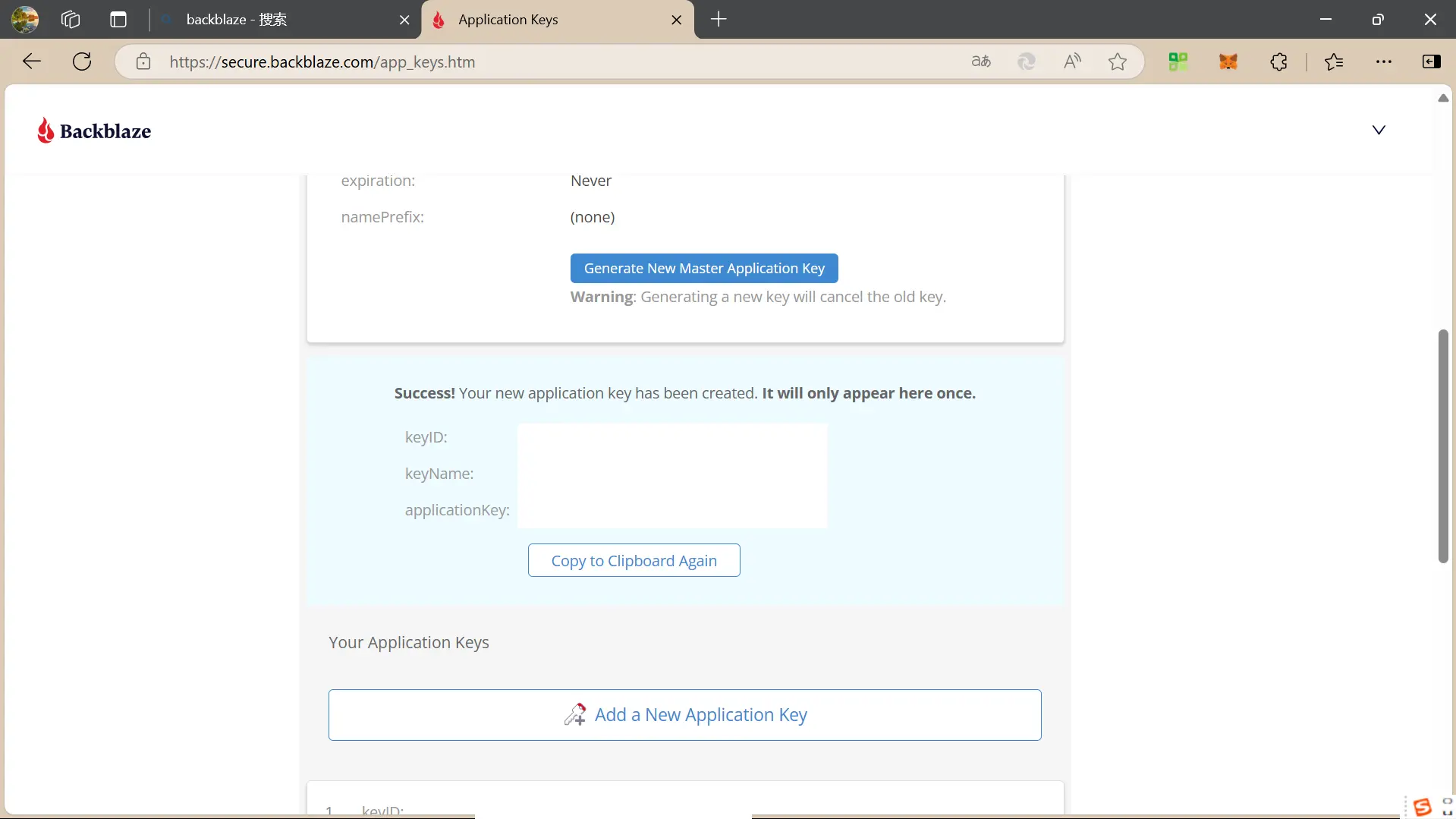
点击页面左侧菜单 “Account” 下的 “Application Keys” ,点击 “Add a New Application Key” ,在 “Name of Key” 项填写应用程序密钥名称,其余保持默认,点击 “Create New Key”。创建完成之后,记下 Key ID 和 applicationKey。关键信息不会显示第二次,请务必保存好。
创建 Cloudflare Workers
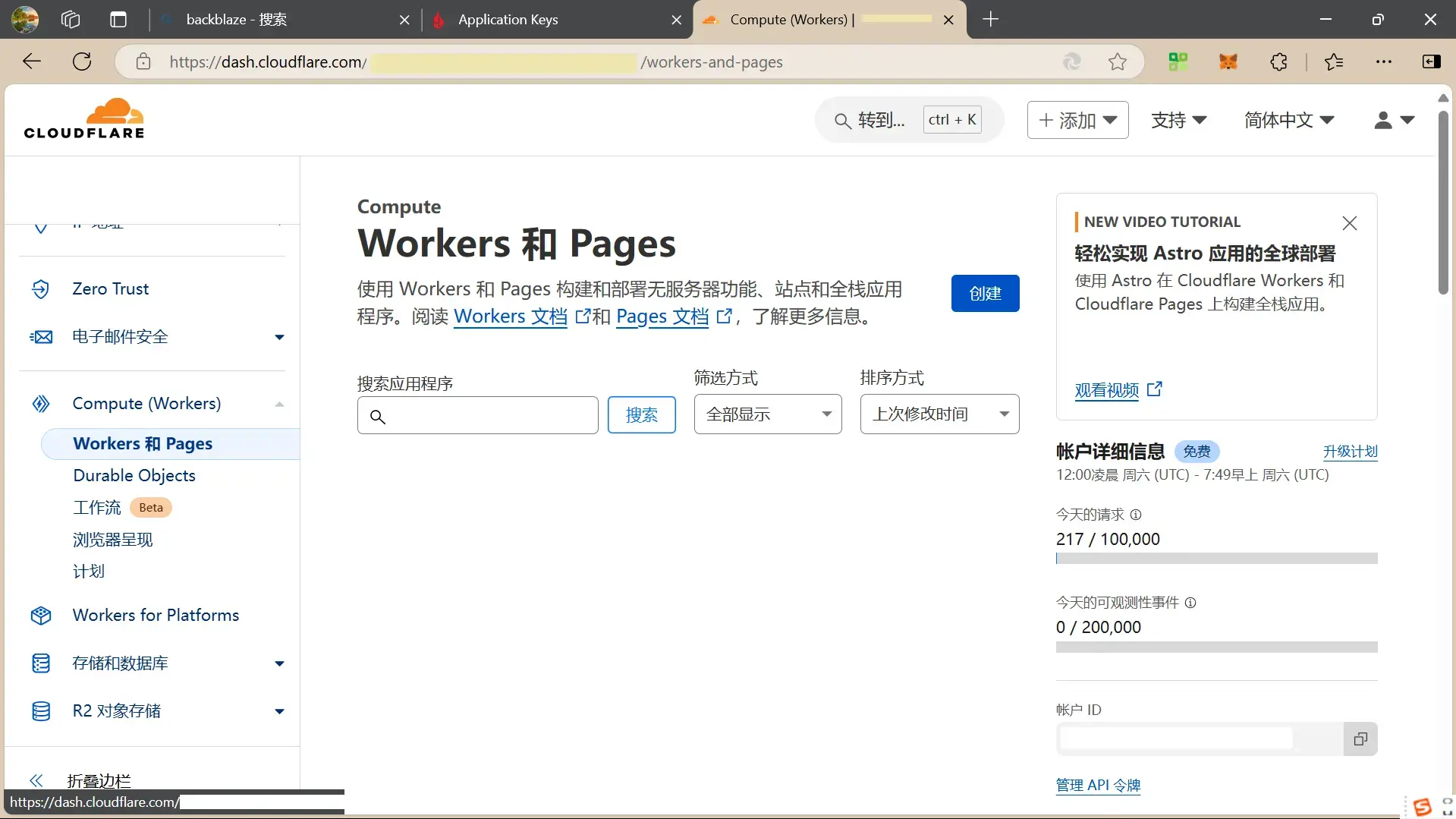
登录 Cloudflare ,点击 “Compute(Workers)” 中的 “Workers 和 Pages “,点击 “创建” ,填写 Workers 名称,其余保持默认,点击 “部署”。
点击“编辑代码”,将以下代码复制到代码框中,点击 “保存并部署”。
点击查看代码
// node_modules/aws4fetch/dist/aws4fetch.esm.mjs
var encoder = new TextEncoder();
var HOST_SERVICES = {
  appstream2: "appstream",
  cloudhsmv2: "cloudhsm",
  email: "ses",
  marketplace: "aws-marketplace",
  mobile: "AWSMobileHubService",
  pinpoint: "mobiletargeting",
  queue: "sqs",
  "git-codecommit": "codecommit",
  "mturk-requester-sandbox": "mturk-requester",
  "personalize-runtime": "personalize"
};
var UNSIGNABLE_HEADERS = /* @__PURE__ */ new Set([
  "authorization",
  "content-type",
  "content-length",
  "user-agent",
  "presigned-expires",
  "expect",
  "x-amzn-trace-id",
  "range",
  "connection"
]);
var AwsClient = class {
  constructor({ accesskeyID, secretAccessKey, sessionToken, service, region, cache, retries, initRetryMs }) {
    if (accesskeyID == null)
      throw new TypeError("accesskeyID is a required option");
    if (secretAccessKey == null)
      throw new TypeError("secretAccessKey is a required option");
    this.accesskeyID = accesskeyID;
    this.secretAccessKey = secretAccessKey;
    this.sessionToken = sessionToken;
    this.service = service;
    this.region = region;
    this.cache = cache || /* @__PURE__ */ new Map();
    this.retries = retries != null ? retries : 10;
    this.initRetryMs = initRetryMs || 50;
  }
  async sign(input, init) {
    if (input instanceof Request) {
      const { method, url, headers, body } = input;
      init = Object.assign({ method, url, headers }, init);
      if (init.body == null && headers.has("Content-Type")) {
        init.body = body != null && headers.has("X-Amz-Content-Sha256") ? body : await input.clone().arrayBuffer();
      }
      input = url;
    }
    const signer = new AwsV4Signer(Object.assign({ url: input }, init, this, init && init.aws));
    const signed = Object.assign({}, init, await signer.sign());
    delete signed.aws;
    try {
      return new Request(signed.url.toString(), signed);
    } catch (e) {
      if (e instanceof TypeError) {
        return new Request(signed.url.toString(), Object.assign({ duplex: "half" }, signed));
      }
      throw e;
    }
  }
  async fetch(input, init) {
    for (let i = 0; i <= this.retries; i++) {
      const fetched = fetch(await this.sign(input, init));
      if (i === this.retries) {
        return fetched;
      }
      const res = await fetched;
      if (res.status < 500 && res.status !== 429) {
        return res;
      }
      await new Promise((resolve) => setTimeout(resolve, Math.random() * this.initRetryMs * Math.pow(2, i)));
    }
    throw new Error("An unknown error occurred, ensure retries is not negative");
  }
};
var AwsV4Signer = class {
  constructor({ method, url, headers, body, accesskeyID, secretAccessKey, sessionToken, service, region, cache, datetime, signQuery, appendSessionToken, allHeaders, singleEncode }) {
    if (url == null)
      throw new TypeError("url is a required option");
    if (accesskeyID == null)
      throw new TypeError("accesskeyID is a required option");
    if (secretAccessKey == null)
      throw new TypeError("secretAccessKey is a required option");
    this.method = method || (body ? "POST" : "GET");
    this.url = new URL(url);
    this.headers = new Headers(headers || {});
    this.body = body;
    this.accesskeyID = accesskeyID;
    this.secretAccessKey = secretAccessKey;
    this.sessionToken = sessionToken;
    let guessedService, guessedRegion;
    if (!service || !region) {
      [guessedService, guessedRegion] = guessServiceRegion(this.url, this.headers);
    }
    this.service = service || guessedService || "";
    this.region = region || guessedRegion || "us-east-1";
    this.cache = cache || /* @__PURE__ */ new Map();
    this.datetime = datetime || (/* @__PURE__ */ new Date()).toISOString().replace(/[:-]|\.\d{3}/g, "");
    this.signQuery = signQuery;
    this.appendSessionToken = appendSessionToken || this.service === "iotdevicegateway";
    this.headers.delete("Host");
    if (this.service === "s3" && !this.signQuery && !this.headers.has("X-Amz-Content-Sha256")) {
      this.headers.set("X-Amz-Content-Sha256", "UNSIGNED-PAYLOAD");
    }
    const params = this.signQuery ? this.url.searchParams : this.headers;
    params.set("X-Amz-Date", this.datetime);
    if (this.sessionToken && !this.appendSessionToken) {
      params.set("X-Amz-Security-Token", this.sessionToken);
    }
    this.signableHeaders = ["host", ...this.headers.keys()].filter((header) => allHeaders || !UNSIGNABLE_HEADERS.has(header)).sort();
    this.signedHeaders = this.signableHeaders.join(";");
    this.canonicalHeaders = this.signableHeaders.map((header) => header + ":" + (header === "host" ? this.url.host : (this.headers.get(header) || "").replace(/\s+/g, " "))).join("\n");
    this.credentialString = [this.datetime.slice(0, 8), this.region, this.service, "aws4_request"].join("/");
    if (this.signQuery) {
      if (this.service === "s3" && !params.has("X-Amz-Expires")) {
        params.set("X-Amz-Expires", "86400");
      }
      params.set("X-Amz-Algorithm", "AWS4-HMAC-SHA256");
      params.set("X-Amz-Credential", this.accesskeyID + "/" + this.credentialString);
      params.set("X-Amz-SignedHeaders", this.signedHeaders);
    }
    if (this.service === "s3") {
      try {
        this.encodedPath = decodeURIComponent(this.url.pathname.replace(/\+/g, " "));
      } catch (e) {
        this.encodedPath = this.url.pathname;
      }
    } else {
      this.encodedPath = this.url.pathname.replace(/\/+/g, "/");
    }
    if (!singleEncode) {
      this.encodedPath = encodeURIComponent(this.encodedPath).replace(/%2F/g, "/");
    }
    this.encodedPath = encodeRfc3986(this.encodedPath);
    const seenKeys = /* @__PURE__ */ new Set();
    this.encodedSearch = [...this.url.searchParams].filter(([k]) => {
      if (!k)
        return false;
      if (this.service === "s3") {
        if (seenKeys.has(k))
          return false;
        seenKeys.add(k);
      }
      return true;
    }).map((pair) => pair.map((p) => encodeRfc3986(encodeURIComponent(p)))).sort(([k1, v1], [k2, v2]) => k1 < k2 ? -1 : k1 > k2 ? 1 : v1 < v2 ? -1 : v1 > v2 ? 1 : 0).map((pair) => pair.join("=")).join("&");
  }
  async sign() {
    if (this.signQuery) {
      this.url.searchParams.set("X-Amz-Signature", await this.signature());
      if (this.sessionToken && this.appendSessionToken) {
        this.url.searchParams.set("X-Amz-Security-Token", this.sessionToken);
      }
    } else {
      this.headers.set("Authorization", await this.authHeader());
    }
    return {
      method: this.method,
      url: this.url,
      headers: this.headers,
      body: this.body
    };
  }
  async authHeader() {
    return [
      "AWS4-HMAC-SHA256 Credential=" + this.accesskeyID + "/" + this.credentialString,
      "SignedHeaders=" + this.signedHeaders,
      "Signature=" + await this.signature()
    ].join(", ");
  }
  async signature() {
    const date = this.datetime.slice(0, 8);
    const cacheKey = [this.secretAccessKey, date, this.region, this.service].join();
    let kCredentials = this.cache.get(cacheKey);
    if (!kCredentials) {
      const kDate = await hmac("AWS4" + this.secretAccessKey, date);
      const kRegion = await hmac(kDate, this.region);
      const kService = await hmac(kRegion, this.service);
      kCredentials = await hmac(kService, "aws4_request");
      this.cache.set(cacheKey, kCredentials);
    }
    return buf2hex(await hmac(kCredentials, await this.stringToSign()));
  }
  async stringToSign() {
    return [
      "AWS4-HMAC-SHA256",
      this.datetime,
      this.credentialString,
      buf2hex(await hash(await this.canonicalString()))
    ].join("\n");
  }
  async canonicalString() {
    return [
      this.method.toUpperCase(),
      this.encodedPath,
      this.encodedSearch,
      this.canonicalHeaders + "\n",
      this.signedHeaders,
      await this.hexBodyHash()
    ].join("\n");
  }
  async hexBodyHash() {
    let hashHeader = this.headers.get("X-Amz-Content-Sha256") || (this.service === "s3" && this.signQuery ? "UNSIGNED-PAYLOAD" : null);
    if (hashHeader == null) {
      if (this.body && typeof this.body !== "string" && !("byteLength" in this.body)) {
        throw new Error("body must be a string, ArrayBuffer or ArrayBufferView, unless you include the X-Amz-Content-Sha256 header");
      }
      hashHeader = buf2hex(await hash(this.body || ""));
    }
    return hashHeader;
  }
};
async function hmac(key, string) {
  const cryptoKey = await crypto.subtle.importKey(
    "raw",
    typeof key === "string" ? encoder.encode(key) : key,
    { name: "HMAC", hash: { name: "SHA-256" } },
    false,
    ["sign"]
  );
  return crypto.subtle.sign("HMAC", cryptoKey, encoder.encode(string));
}
async function hash(content) {
  return crypto.subtle.digest("SHA-256", typeof content === "string" ? encoder.encode(content) : content);
}
function buf2hex(buffer) {
  return Array.prototype.map.call(new Uint8Array(buffer), (x) => ("0" + x.toString(16)).slice(-2)).join("");
}
function encodeRfc3986(urlEncodedStr) {
  return urlEncodedStr.replace(/[!'()*]/g, (c) => "%" + c.charCodeAt(0).toString(16).toUpperCase());
}
function guessServiceRegion(url, headers) {
  const { hostname, pathname } = url;
  if (hostname.endsWith(".r2.cloudflarestorage.com")) {
    return ["s3", "auto"];
  }
  if (hostname.endsWith(".backblazeb2.com")) {
    const match2 = hostname.match(/^(?:[^.]+\.)?s3\.([^.]+)\.backblazeb2\.com$/);
    return match2 != null ? ["s3", match2[1]] : ["", ""];
  }
  const match = hostname.replace("dualstack.", "").match(/([^.]+)\.(?:([^.]*)\.)?amazonaws\.com(?:\.cn)?$/);
  let [service, region] = (match || ["", ""]).slice(1, 3);
  if (region === "us-gov") {
    region = "us-gov-west-1";
  } else if (region === "s3" || region === "s3-accelerate") {
    region = "us-east-1";
    service = "s3";
  } else if (service === "iot") {
    if (hostname.startsWith("iot.")) {
      service = "execute-api";
    } else if (hostname.startsWith("data.jobs.iot.")) {
      service = "iot-jobs-data";
    } else {
      service = pathname === "/mqtt" ? "iotdevicegateway" : "iotdata";
    }
  } else if (service === "autoscaling") {
    const targetPrefix = (headers.get("X-Amz-Target") || "").split(".")[0];
    if (targetPrefix === "AnyScaleFrontendService") {
      service = "application-autoscaling";
    } else if (targetPrefix === "AnyScaleScalingPlannerFrontendService") {
      service = "autoscaling-plans";
    }
  } else if (region == null && service.startsWith("s3-")) {
    region = service.slice(3).replace(/^fips-|^external-1/, "");
    service = "s3";
  } else if (service.endsWith("-fips")) {
    service = service.slice(0, -5);
  } else if (region && /-\d$/.test(service) && !/-\d$/.test(region)) {
    [service, region] = [region, service];
  }
  return [HOST_SERVICES[service] || service, region];
}

// index.js
var UNSIGNABLE_HEADERS2 = [
  // These headers appear in the request, but are not passed upstream
  "x-forwarded-proto",
  "x-real-ip",
  // We can't include accept-encoding in the signature because Cloudflare
  // sets the incoming accept-encoding header to "gzip, br", then modifies
  // the outgoing request to set accept-encoding to "gzip".
  // Not cool, Cloudflare!
  "accept-encoding"
];
var HTTPS_PROTOCOL = "https:";
var HTTPS_PORT = "443";
var RANGE_RETRY_ATTEMPTS = 3;
function filterHeaders(headers, env) {
  return new Headers(Array.from(headers.entries()).filter(
    (pair) => !UNSIGNABLE_HEADERS2.includes(pair[0]) && !pair[0].startsWith("cf-") && !("ALLOWED_HEADERS" in env && !env.ALLOWED_HEADERS.includes(pair[0]))
  ));
}
var my_proxy_default = {
  async fetch(request, env) {
    if (!["GET", "HEAD"].includes(request.method)) {
      return new Response(null, {
        status: 405,
        statusText: "Method Not Allowed"
      });
    }
    const url = new URL(request.url);
    url.protocol = HTTPS_PROTOCOL;
    url.port = HTTPS_PORT;
    let path = url.pathname.replace(/^\//, "");
    path = path.replace(/\/$/, "");
    const pathSegments = path.split("/");
    if (env.ALLOW_LIST_BUCKET !== "true") {
      if (env.BUCKET_NAME === "$path" && pathSegments.length < 2 || env.BUCKET_NAME !== "$path" && path.length === 0) {
        return new Response(null, {
          status: 404,
          statusText: "Not Found"
        });
      }
    }
    switch (env.BUCKET_NAME) {
      case "$path":
        url.hostname = env.B2_ENDPOINT;
        break;
      case "$host":
        url.hostname = url.hostname.split(".")[0] + "." + env.B2_ENDPOINT;
        break;
      default:
        url.hostname = env.BUCKET_NAME + "." + env.B2_ENDPOINT;
        break;
    }
    const headers = filterHeaders(request.headers, env);
    const endpointRegex = /^s3\.([a-zA-Z0-9-]+)\.backblazeb2\.com$/;
    const [, aws_region] = env.B2_ENDPOINT.match(endpointRegex);
    const client = new AwsClient({
      "accesskeyID": env.B2_APPLICATION_KEY_ID,
      "secretAccessKey": env.B2_APPLICATION_KEY,
      "service": "s3",
      "region": aws_region
    });
    const signedRequest = await client.sign(url.toString(), {
      method: request.method,
      headers
    });
    if (signedRequest.headers.has("range")) {
      let attempts = RANGE_RETRY_ATTEMPTS;
      let response;
      do {
        let controller = new AbortController();
        response = await fetch(signedRequest.url, {
          method: signedRequest.method,
          headers: signedRequest.headers,
          signal: controller.signal
        });
        if (response.headers.has("content-range")) {
          if (attempts < RANGE_RETRY_ATTEMPTS) {
            console.log(`Retry for ${signedRequest.url} succeeded - response has content-range header`);
          }
          break;
        } else if (response.ok) {
          attempts -= 1;
          console.error(`Range header in request for ${signedRequest.url} but no content-range header in response. Will retry ${attempts} more times`);
          if (attempts > 0) {
            controller.abort();
          }
        } else {
          break;
        }
      } while (attempts > 0);
      if (attempts <= 0) {
        console.error(`Tried range request for ${signedRequest.url} ${RANGE_RETRY_ATTEMPTS} times, but no content-range in response.`);
      }
      return response;
    }
    return fetch(signedRequest);
  }
};
export {
  my_proxy_default as default
};
/*! Bundled license information:

aws4fetch/dist/aws4fetch.esm.mjs:
  (**
   * @license MIT <https://opensource.org/licenses/MIT>
   * @copyright Michael Hart 2022
   *)
*/
//# sourceMappingURL=index.js.map
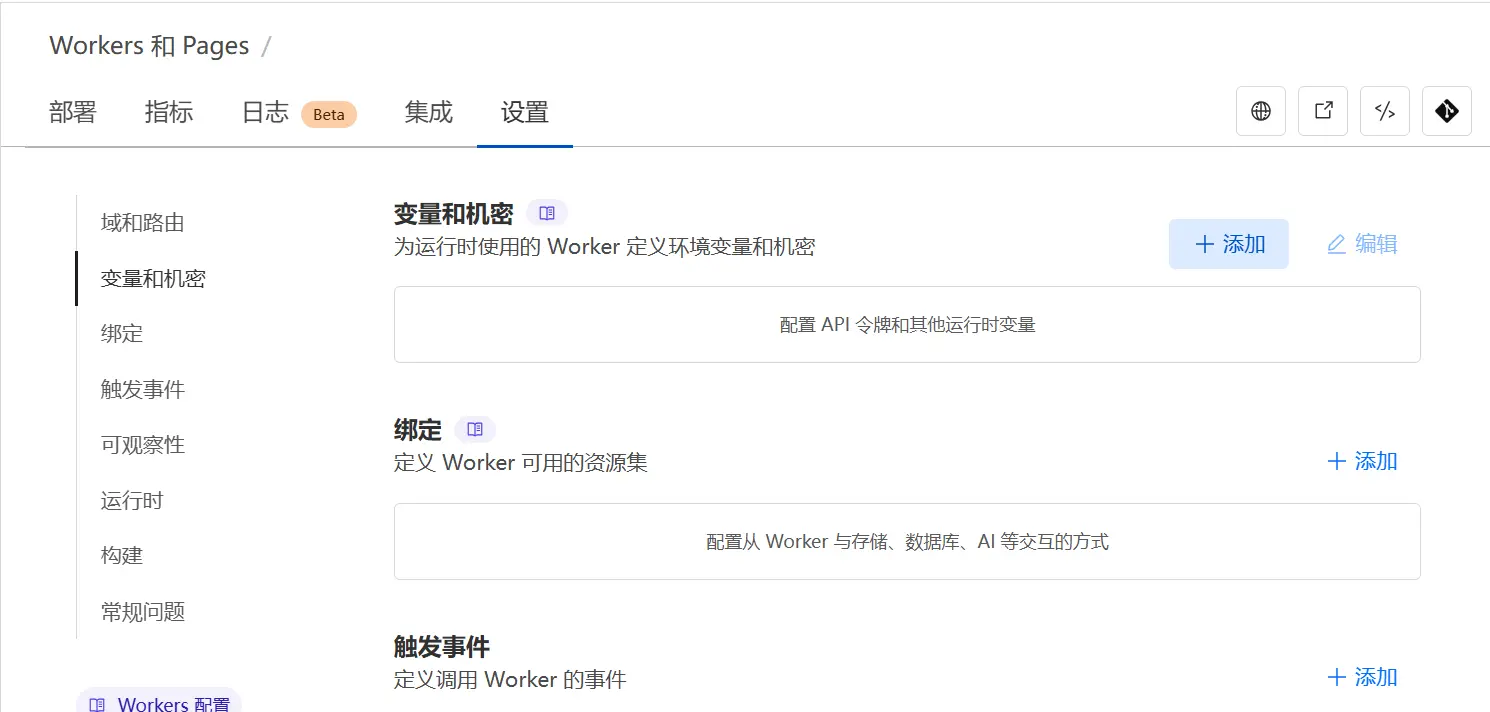
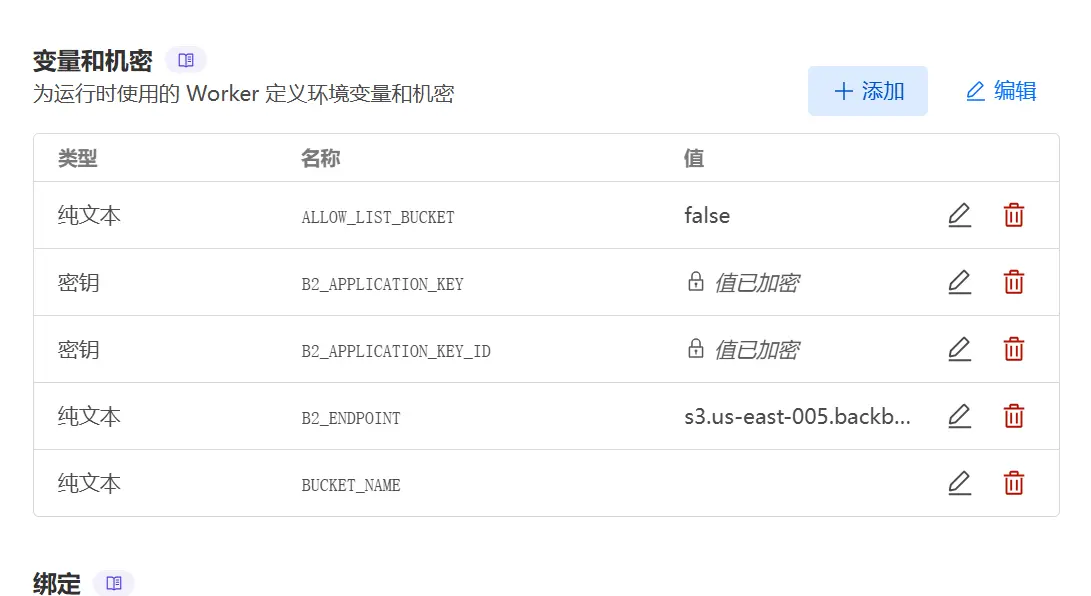
然后返回 Workers 页面,点击“设置”,点击“变量和机密”,点击“添加”,添加以下变量:
ALLOW_LIST_BUCKET = false
B2_APPLICATION_KEY = 此前生成的 applicationKey
B2_APPLICATION_KEY_ID = 此前生成的 keyID
B2_ENDPOINT = Endpoint 值(如 s3.us-west-004.backblazeb2.com)
BUCKET_NAME = 你的私密桶名
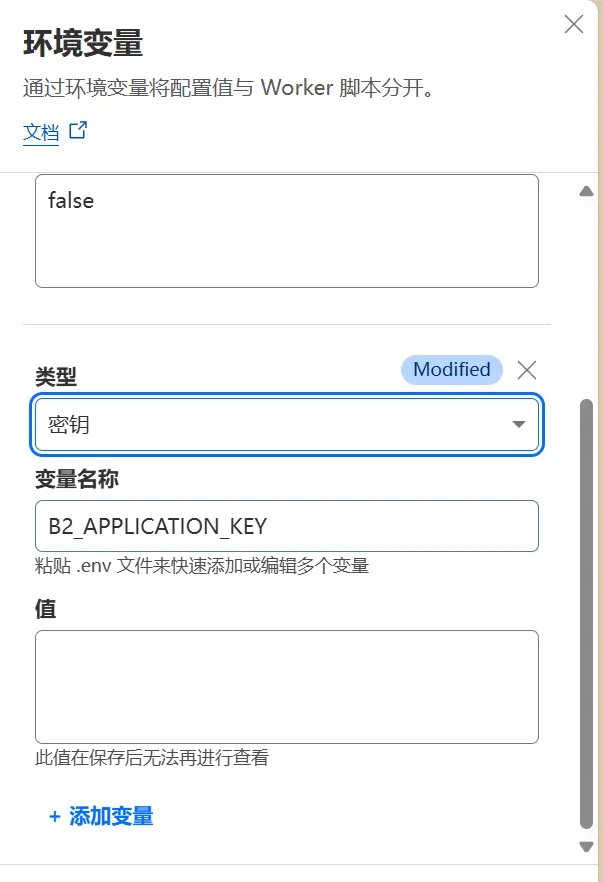
需要注意的是,为了安全考虑,需要将 B2_APPLICATION_KEY 和 B2_APPLICATION_KEY_ID 变量的类型设置为“密钥”,此值在保存后无法再进行查看。
接着,点击“保存并部署”按钮,完成部署。
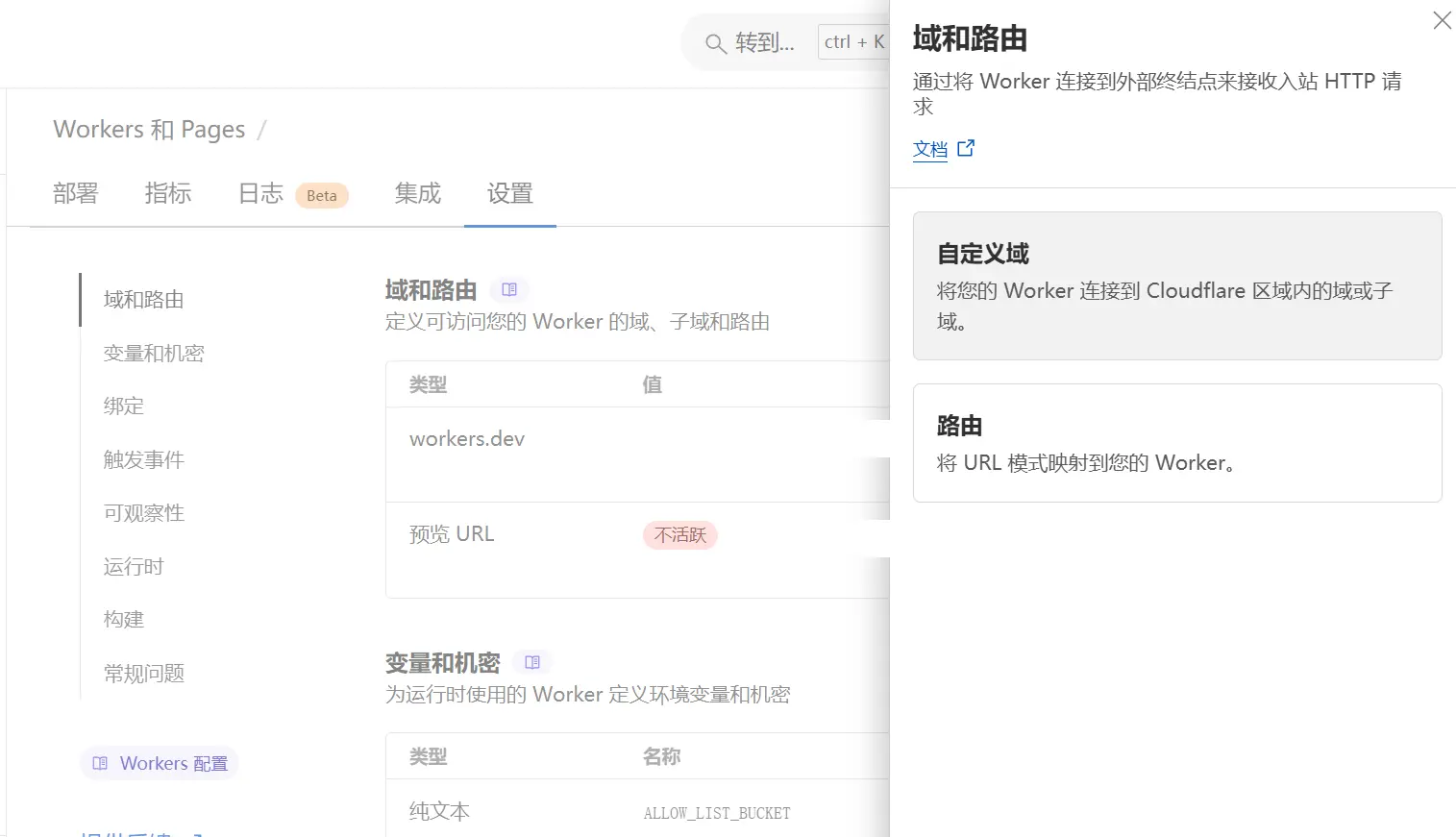
点击“域和路由”,添加自定义域名。
回到 Backblaze B2 私密桶,点击 “Bucket Settings” ,在 “Bucket Info” 项填入:
{"Cache-Control": "public, max-age=604800"}
其中,604800 代表缓存时间为一周,单位为秒,可根据实际情况修改。
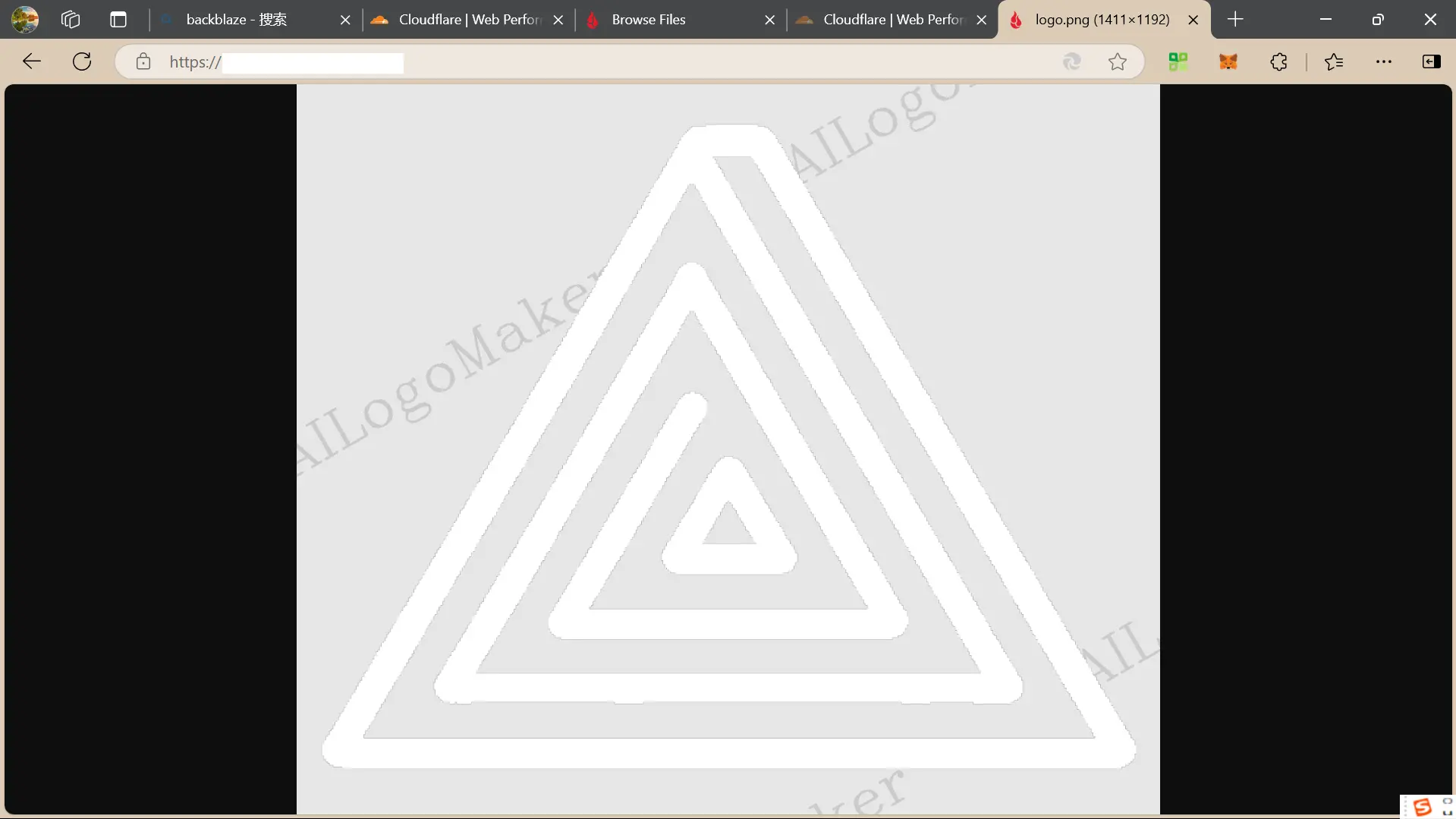
随后在私密桶页面点击 “Upload” 按钮,上传图片,测试上传情况。若直接访问 S3 url,无法看到图片,但访问自定义域名,图片可以正常显示,则说明 Cloudflare Workers 配置成功。如图
使用 PicGo 上传图片
PicGo 是一款开源的图床客户端,支持多种图床,包括七牛云、腾讯云、又拍云、GitHub、SM.MS、阿里云、Imgur、自定义图床等。
首先下载并安装 PicGo ,在 PicGo 中,点击“插件配置”,搜索“s3”并安装。在“PicGo设置”中,启用“Amazon S3”。
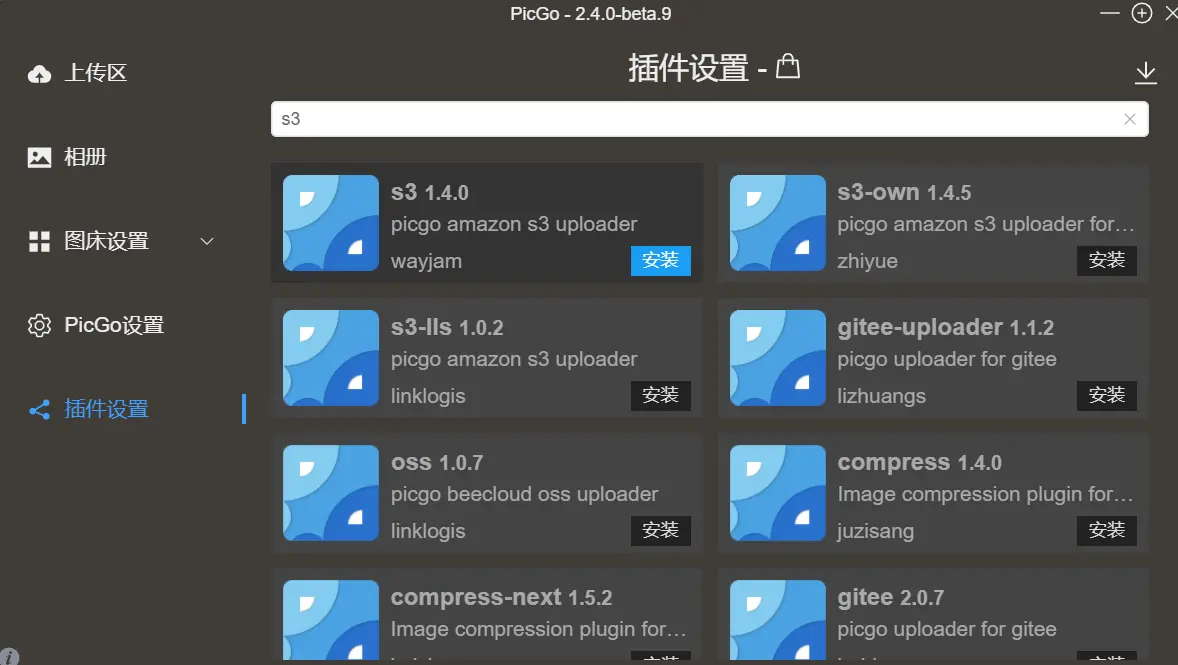
在“图床设置”中,点击“Amazon S3”,依照仓库中的说明 填写相关信息,点击确定。
点击左侧“上传区”,上传图片。上传完成后点击“相册”,可以查看图片。
参考:Deliver Private Backblaze B2 Content Through Cloudflare CDN